


Technology Coordinator
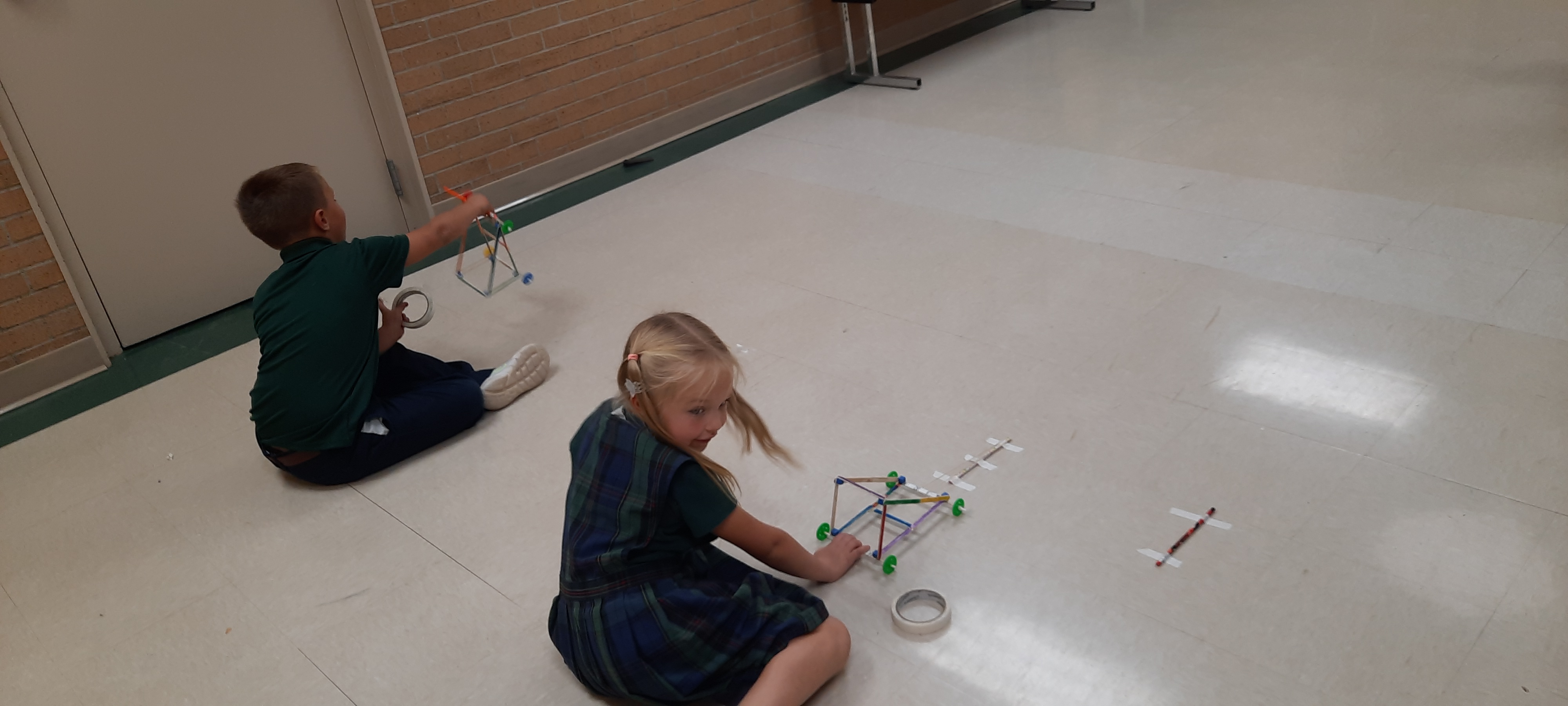
This year our K-5 grades have a specific STEM time each week. Most of the classes first project involves crayons and I they have been learning a little about Edward Binney, the inventor of Crayola crayons.
I been building up our supplies through some generous donations of parents and parishioners. If you are cleaning out some things at your house and wonder if we can use it, you can always contact me at school. Here is a list of supplies we use the most or can use. We also use a lot of 2032 cell batteries, however, they don't last more than one year so I try to only buy what we need for each project. Cash donations are always good for those types of things as well as other special motors.
If you have a special skill or would even like to volunteer to help with the STEM projects, please contact me. Extra hands are always useful and appreciated.
Here is a picture of the SlingShot cars made by the 1st graders last year. I will soon be replacing it with this year's great projects.
For even the most tech-savvy of parents, keeping up with all of the latest apps your kid wants to download can be a real struggle. Bark has
compiled a list of the twelve most dangerous apps for kids today. Some you’ll probably recognize, but a few may surprise you!
Bark is one of the tools we use to help us flag any possible inappropriate remarks made in their Google accounts or search queries. Parents can also sign up for a paid service. Please visit their website for more information.
The 6th and 7th graders were introduced to the Problem Solving Process in technology class. The 6th grade class had to design spaghetti bridges that had to span 1' and see how many books the bridge could hold. They were given only spaghetti and hot glue and 30 minutes to build. The 7th grade had to make a table that was 1' from the ground and could hold books. They each had 26 newspapers and one roll of masking tape and 20 minutes to build. All of the tables held at least 25 books, but some could only do this if the books were placed in the center of the table.
The 7th graders recently learned how to use Google Slides to make an animated image. They were provided some background scenes and clipart to design their own Christmas scenes. Click on the student's name to see their images. This document contains the links for this year's class and last year's.
We are offering an open STEM lab time 3 days a week for students that have completed all their work and want to apply their creativity to various projects. Several 5th-grade students have taken advantage of this. Their first project was to build a birdhouse with cardboard and sticks. They all had different ideas on the structural designs. I can't wait to see what other projects they do!
With all the new apps and technology out there, it is becoming a major ordeal for schools and parents to keep up with the latest trends and dangers. Here at St. Pat's, we use Bark for Schools, a student and school safety product that detects potential problems across G Suite, Office 365, and Chrome to help protect students — at no cost.
Bark is an award-winning monitoring and screen time management service founded in 2015 by a parent who was looking for a way to help keep his kids safe online while preserving their privacy. After the tragic shooting in Parkland, Florida, Bark decided to extend its services to all K-12 public and private schools in the U.S. — at no cost to them or their communities. It offers content monitoring, web filtering, and a Parent Portal for after-hours alerts.
Bark helps us monitor school-issued Google accounts for signs of digital dangers. When potential issues like cyberbullying, suicidal ideation, and threats of violence arise, Bark sends us a notification. It also sends us alerts when visiting websites with certain tagged categories and the specific pages they viewed. Parents opting in for this feature can benefit from receiving these alerts, as well. Parent alerts only show their child's information, any other student's identifying information is redacted. Please keep an eye out for an email from them and opt-in for this service.
We've partnered with Bark to offer our families a free Bark Jr subscription ($60/year value) for life! This would also cover any of your child's personal accounts. Use the URL below to activate your free Bark Jr account:
https://www.bark.us/bark-jr/signup?ref=SVVK9BB
What am I getting with a free Bark Jr account?
- Ability to manage screen time on mobile devices
- Set different rules for school time and bedtime
- Filter which websites your kids can visit
- Keep up with kids with location check-ins
Bark also has a Premium service for $50/year that monitors 15-30 apps, plus email and social media platforms. Please contact me if you are interested and I will have someone from Bark get in touch with you.
Childhood 2.0 is a documentary that I advise any parent who wants to better understand the world their children are navigating as they grow up in the digital age should watch.
Keeping our students safe while online and learning to use technology responsibly is very important to everyone here at St. Pat's.
Here are a few other websites that contain a lot of information about how parents can help keep their children safe while on their phones and the Internet.
CyberWise - a lot of great articles and tips on all subjects. If anyone would be interested in reading the book Raising Humans in a Digital World, please let me know as I do have a copy I can loan you.
Common Sense Media - I use their Digital Citizenship curriculum in the technology classes. They have a lot of parent information as well as ratings on apps, books, and movies.